Physical Address
304 North Cardinal St.
Dorchester Center, MA 02124
Physical Address
304 North Cardinal St.
Dorchester Center, MA 02124
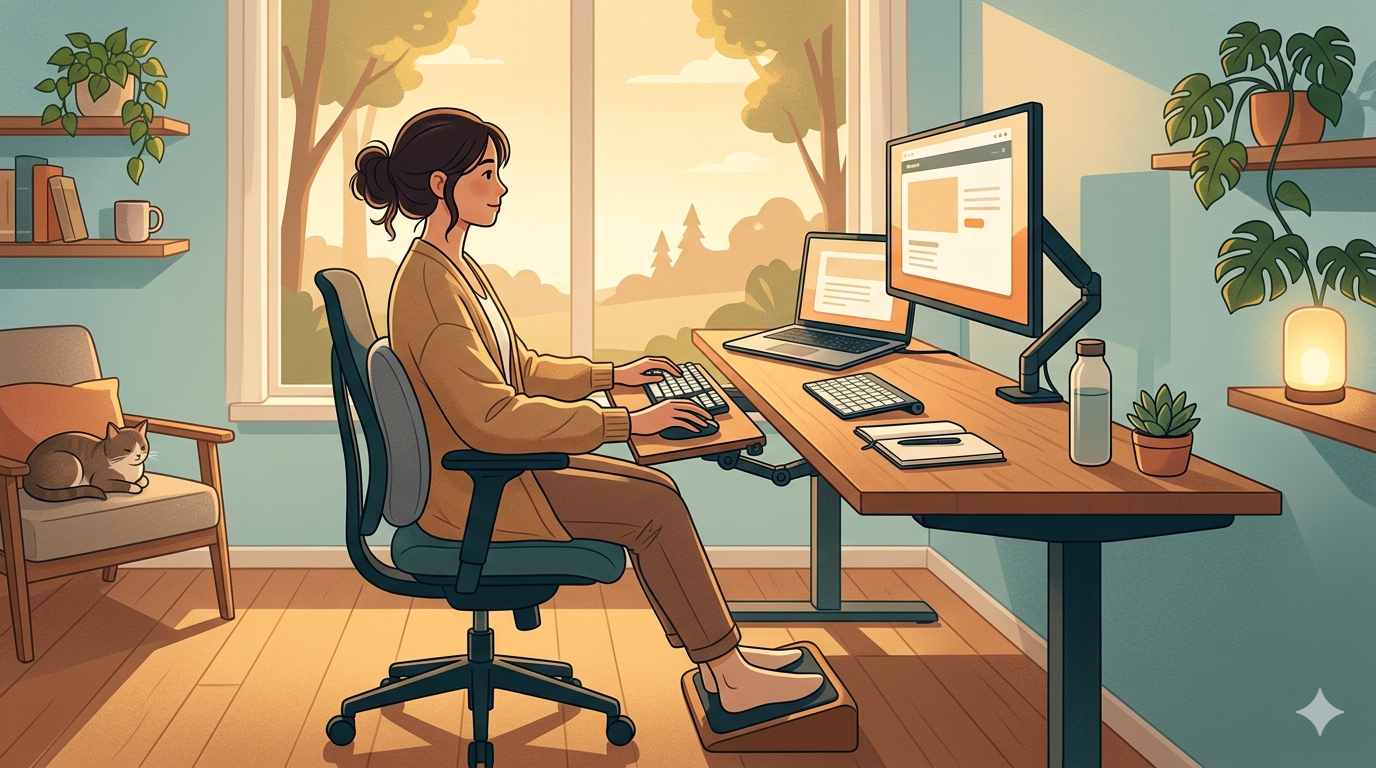
Most remote workers treat their workday and their sleep as two entirely separate events. You spend eight hours at your desk, close your laptop, and expect your body to simply “reset” the moment you lie down. But the human body doesn’t work that way. The mechanical stress you put on your musculoskeletal system at 2:00 PM is the direct cause of your tossing and turning at 2:00 AM.
When you spend your day in a state of poor postural alignment—slumping in your chair, craning your neck toward a low monitor, or resting your wrists on a hard desk edge—you are creating “structural debt.” This debt manifests as microscopic tears in muscle tissue, compressed spinal discs, and restricted blood flow. When you finally stop working, your body enters “repair mode,” but if the damage is severe, the inflammation and muscle guarding (the body’s natural “splinting” mechanism) will keep your nervous system in a state of high arousal.
In this guide, we are looking at the “Upstream” causes of sleep disruption. We will show you how to optimize your home office ergonomics to reduce the physical load on your body, ensuring that when you hit the mattress, you are ready for deep recovery rather than just managing pain.
Your spine is not a straight line; it is a series of four curves that form a gentle “S” shape. The most critical curve for the desk worker is the lumbar lordosis—the inward curve at the base of your spine. When you sit in a chair without proper lumbar support, your pelvis tilts backward (a “posterior tilt”), which flattens this curve and puts immense pressure on the L4 and L5 discs.
This pressure triggers the muscles in your lower back to stay constantly contracted to protect the spine. By 5:00 PM, these muscles are exhausted and inflamed. When you lie down to sleep, these “guarded” muscles refuse to relax, making it impossible to find a comfortable position. According to the American Chiropractic Association, poor sitting posture is one of the leading contributors to chronic insomnia and sleep-maintenance issues in sedentary professionals.
As discussed in our Ergonomic Pillow Guide, for every inch your head moves forward from its neutral axis, it gains 10 pounds of effective weight. But the problem isn’t just the neck. This forward shift also rounds your shoulders and compresses your chest. This “closed” posture restricts your breathing, forcing you to take shallower, more frequent breaths. This shallow breathing signals the sympathetic nervous system (the “Fight or Flight” response) to remain active. You are literally breathing yourself into a state of stress while you work.
Your eyes lead your body. If your monitor is too low (a common issue with laptops), your head will naturally tilt down to follow it.
Alignment starts from the ground up.
Static loading is the enemy of alignment. Even the most ergonomic chair in the world will cause issues if you sit in it for four hours straight.
While your posture is a habit, the right tools make that habit easier to maintain.
| Adjustment | Physical Impact | Sleep Benefit |
|---|---|---|
| Raise Monitor | Reduces Cervical Load | Fewer Tension Headaches |
| Lumbar Support | Maintains Lumbar Curve | Reduced Lower Back Pain |
| Standing Desk | Interrupts Static Loading | Lower Evening Cortisol |
| Split Keyboard | Opens Chest/Shoulders | Improved Breathing/Relaxation |
If you spend your day fighting your desk, you will spend your night fighting your bed. Ergonomics is not a “luxury” for the remote worker; it is a fundamental part of your recovery protocol. By optimizing your daytime alignment, you are removing the physical barriers to deep sleep.
You cannot expect an Ergonomic Pillow or a Smart Lighting system to do all the work. Recovery is a 24-hour cycle. Start at your chair, move to your lighting, and end at your mattress.
Now that we’ve addressed the “Upstream” causes of physical tension, our next guide will focus on the Best White Noise Machines. After you’ve fixed your posture and automated your lighting, the final step is to control the “Audio Floor” of your environment. We’ll look at how constant, non-looping sounds can mask the distractions of a busy household and provide the ultimate “Silence Sanctuary” for your rest. For today, look at your monitor. Is it at eye level? If not, fix it now—your neck will thank you at 2:00 AM.