Physical Address
304 North Cardinal St.
Dorchester Center, MA 02124
Physical Address
304 North Cardinal St.
Dorchester Center, MA 02124
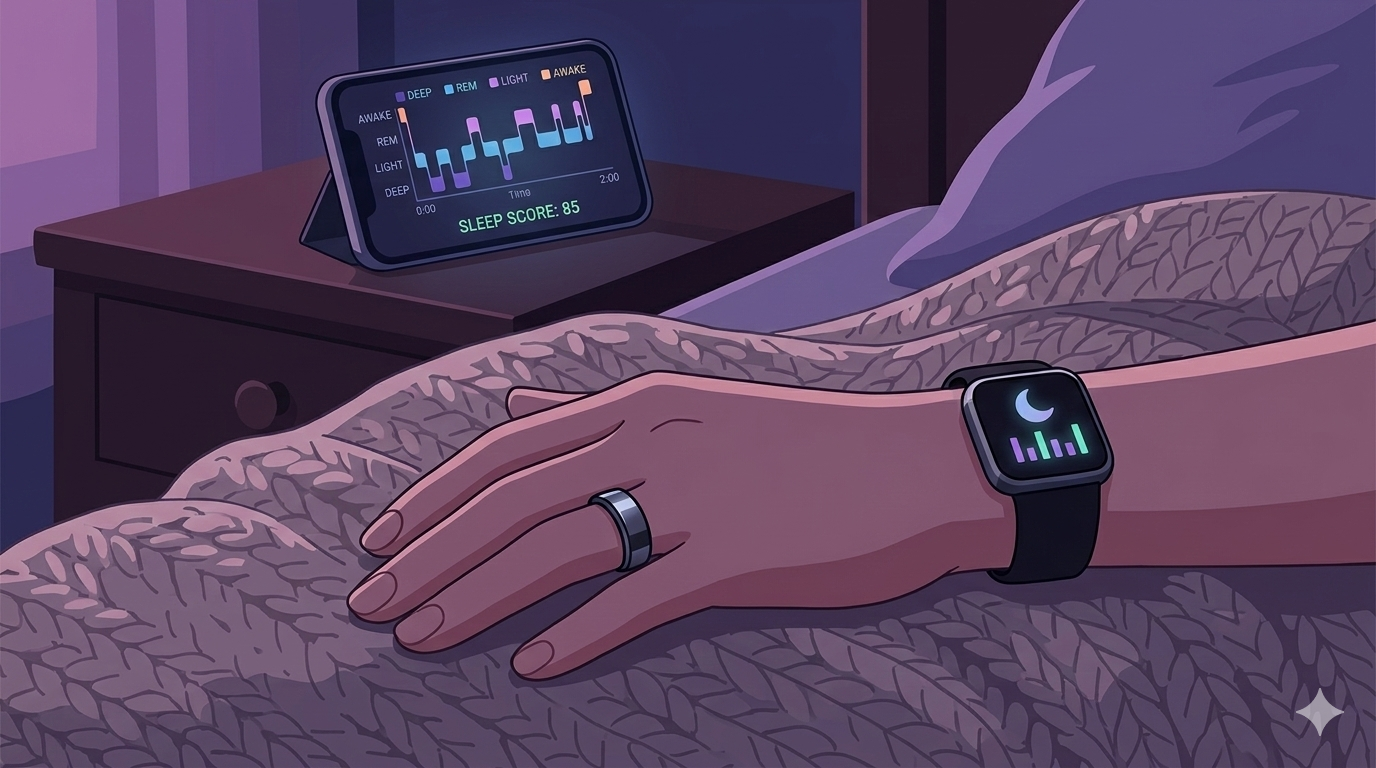
For remote workers, understanding your sleep patterns is like having a roadmap to better productivity. You probably track your work hours, your project deadlines, even your daily coffee intake – but what about the quality of your rest? Sleep trackers have opened up a fascinating window into what happens during those precious hours when you’re unconscious, offering insights that can transform how you approach both sleep and work.
With so many options flooding the market, from sleek rings to feature-packed smartwatches, choosing the right sleep tracker can feel overwhelming. As someone who’s spent countless hours researching sleep technology and talking to remote workers about their challenges, I understand the struggle. You want data that actually helps, not just pretty graphs that don’t lead to real improvements.
Today, we’re diving deep into three of the most popular sleep trackers: the Oura Ring, Fitbit, and Apple Watch. We’ll explore how each one can help you “shift” your sleep patterns and transform your remote work performance, looking at real-world usability, accuracy, and most importantly – which insights actually matter for your daily life.
Let’s be honest – remote work comes with unique sleep challenges. Without the natural rhythm of commuting and office hours, your sleep schedule can easily drift. Late-night work sessions, irregular meal times, and the constant presence of your bed just steps away from your desk all conspire against quality rest.
Here’s how sleep tracking can transform your remote work life:
Objective Insights Replace Guesswork: Instead of wondering “Why do I feel so tired?” you’ll see concrete data showing you only got 30 minutes of deep sleep because you worked until 11 PM.
Connect the Dots: You’ll start noticing patterns – like how that afternoon espresso affects your sleep quality, or how your Sunday night Netflix binge impacts Monday’s productivity.
Accountability Partner: Seeing your sleep score can be just as motivating as seeing your fitness tracker remind you to move. It creates gentle pressure to maintain good habits.
Recovery Awareness: Understanding metrics like Heart Rate Variability (HRV) helps you recognize when your body needs rest versus when you’re ready to tackle that challenging project.
Optimize Your Environment: Many trackers now monitor bedroom temperature and even detect snoring, helping you create the perfect sleep sanctuary.
Let’s examine how each device performs in the real world of remote work.
What it is: A sophisticated ring that sits comfortably on your finger, packed with sensors that rival devices ten times its size.
The Remote Worker’s Perspective:
Accuracy & Insights: The Oura Ring’s finger placement gives it a significant advantage for heart rate and temperature tracking. Many users report it’s incredibly accurate at detecting when they actually fall asleep versus just lying in bed scrolling their phone (we’ve all been there).
The Game-Changing Readiness Score: Every morning, you get a single number that tells you how ready your body is for the day. This isn’t just about sleep duration – it factors in your heart rate variability, resting heart rate, and body temperature. For remote workers, this translates to knowing whether today is the day to tackle that complex coding project or focus on lighter administrative tasks.
Temperature Tracking: The ring’s temperature monitoring is surprisingly insightful. It can detect subtle changes that might indicate you’re getting sick (before you feel symptoms), helping you adjust your workload accordingly.
Comfort Factor: After the first few nights, most users forget they’re wearing it. Unlike wrist devices, it doesn’t interfere with typing or using a computer mouse.
Real-World Benefits:
Exceptional battery life (5-7 days) means you won’t miss data due to charging
Discreet design works well in video calls and professional settings
Detailed sleep stage analysis helps you understand your sleep architecture
Recovery insights help you plan your most demanding work for high-energy days
The Honest Drawbacks:
Premium price point (starting around $299)
Monthly subscription required for full features ($5.99/month)
No display means you must check your phone for data
Sizing can be tricky – you need to get it right for accurate readings
Best for: Remote workers who prioritize deep, actionable sleep and recovery insights, and want a device that disappears into their routine.
Oura Ring Gen3 – Check Current Price
Note: Oura often offers bundle deals that include several months of membership
What it is: A comprehensive health ecosystem that balances sleep insights with overall fitness tracking and wellness features.
The Remote Worker’s Perspective:
Holistic Health Picture: Fitbit excels at connecting your sleep data with your daily activity, stress levels, and even menstrual cycle (for women). This comprehensive view helps you understand how your entire lifestyle impacts your rest.
Stress Management Tools: The built-in stress tracking and guided breathing exercises are particularly valuable for remote workers dealing with work-life balance challenges. The EDA (electrodermal activity) sensor on higher-end models can detect stress responses in real-time.
Sleep Profiles: Fitbit’s monthly sleep analysis creates a personalized “sleep animal” profile (like Bear, Dolphin, or Giraffe), helping you understand your natural sleep patterns and optimize accordingly.
Community & Motivation: The social features and challenges can be motivating, especially for remote workers who miss the camaraderie of office fitness challenges.
Real-World Benefits:
Strong app ecosystem with detailed trends and insights
Excellent battery life (up to 7 days depending on model)
Wide range of price points to fit different budgets
Comfortable for 24/7 wear, including sleep
Integration with popular apps like MyFitnessPal and Strava
The Honest Drawbacks:
Most advanced sleep features require Fitbit Premium subscription
Wrist-based tracking can be less accurate for some metrics compared to chest or finger placement
Interface can feel cluttered with so many features
Build quality varies across different models
Best for: Remote workers who want a comprehensive health picture that includes solid sleep insights, especially those who value stress management and community features.
Popular Options:
Fitbit Charge 6 Great all-around option with built-in GPS
Fitbit Sense 2 Premium features including stress management tools
Fitbit Premium Subscription Often available at discount for annual plans
What it is: Apple’s flagship smartwatch that combines extensive connectivity features with increasingly sophisticated health tracking.
The Remote Worker’s Perspective:
Seamless Integration: If you’re already using iPhone, iPad, and Mac for work, the Apple Watch creates a seamless ecosystem. You can respond to urgent messages, join video calls, and track your health all from your wrist.
Evolving Sleep Features: Recent watchOS updates have significantly improved sleep tracking, now offering detailed sleep stages and trends. While not as specialized as Oura, it’s becoming quite capable.
Third-Party App Ecosystem: Apps like AutoSleep, Pillow, and Athlytic can transform your Apple Watch into a more sophisticated sleep tracking device, often rivaling dedicated trackers.
Productivity Integration: Features like Focus modes, calendar integration, and work-related notifications make it particularly useful for remote workers who need to balance availability with rest.
Real-World Benefits:
Unmatched smart features for communication and productivity
Excellent overall health tracking beyond just sleep
Large app ecosystem for customization
Regular software updates that add new features
Strong resale value
The Honest Drawbacks:
Battery life typically requires daily charging
Can be bulky for sleep, especially for smaller wrists
Native sleep tracking lacks the depth of specialized devices
Premium pricing, especially for cellular models
Temptation to check notifications can interfere with sleep
Best for: Remote workers deeply integrated into the Apple ecosystem who want one device for all their health, fitness, and productivity needs.
Apple Watch Series 9 Apple frequently offers education and business discounts
Choosing the right sleep tracker isn’t just about features – it’s about which device you’ll actually use consistently and which insights will meaningfully impact your remote work life.
Ask Yourself These Questions:
What’s your primary goal?
Pure sleep optimization → Oura Ring
Overall health with good sleep insights → Fitbit
All-in-one productivity and health → Apple Watch
What’s your budget?
Premium investment (~$300-500) → Oura Ring or Apple Watch
Mid-range (~$150-300) → Fitbit Charge or Sense
Budget-conscious → Fitbit Inspire or older models
How tech-savvy are you?
Love diving into data → Oura Ring
Want guided insights → Fitbit
Prefer ecosystem integration → Apple Watch
What’s your biggest sleep challenge?
Knowing when to push vs. rest → Oura Ring’s readiness score
Stress affecting sleep → Fitbit’s stress management
Inconsistent sleep schedule → Apple Watch’s Focus modes
Whichever device you choose, here’s how to maximize its impact:
Week 1: Establish Baseline
Wear your device consistently
Don’t change your habits yet – just observe
Note how you feel versus what the data shows
Week 2: Identify Patterns
Look for correlations between daily activities and sleep quality
Notice which metrics seem most relevant to how you feel
Start paying attention to your device’s insights and recommendations
Week 3: Make Small Adjustments
Implement one change based on your data (earlier bedtime, cooler room, etc.)
Use your device’s features (smart alarms, sleep goals, etc.)
Begin building consistent pre-sleep routines
Week 4: Optimize and Refine
Adjust your approach based on what’s working
Explore advanced features and third-party apps
Consider how your sleep improvements are affecting your work performance
The best sleep tracker is ultimately the one that helps you build better sleep habits and feel more energized for your remote work. Whether you choose the Oura Ring’s deep sleep science, Fitbit’s holistic health approach, or Apple Watch’s ecosystem integration, the key is consistency and action.
Remember, these devices are tools, not magic solutions. They provide insights, but you still need to act on them. The real transformation happens when you use these insights to create sustainable changes in your daily routine.
Start tracking tonight, and begin uncovering the powerful connection between your nights of rest and your days of peak remote work performance. Your future, well-rested self will thank you.